


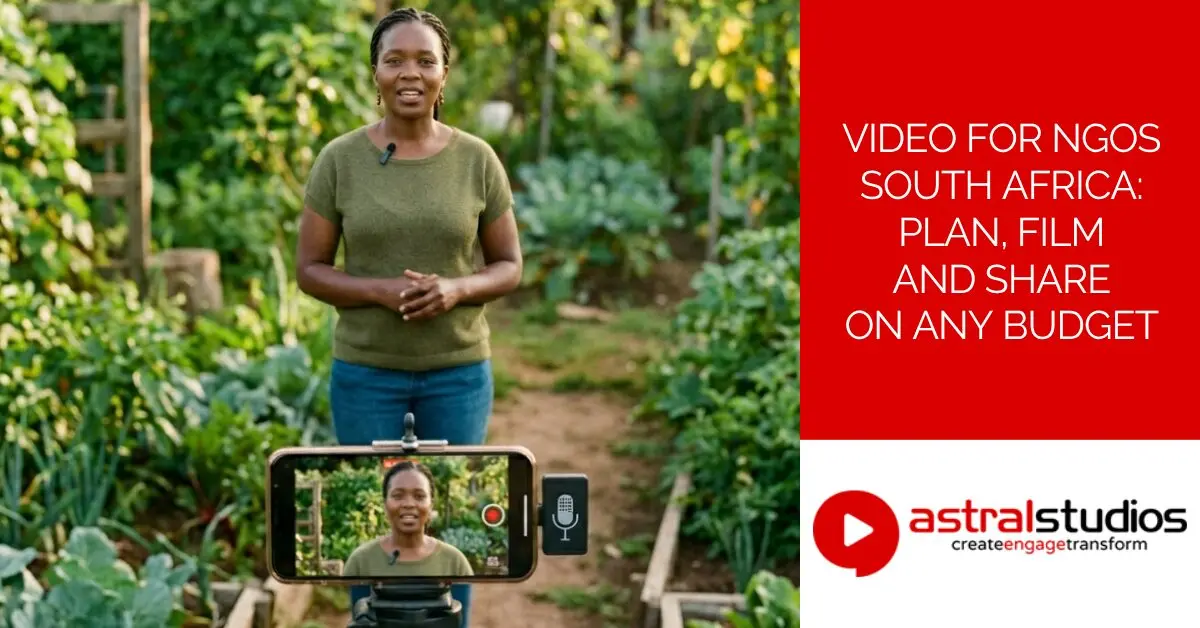
Video for NGOs South Africa: Plan, Film and Share on Any Budget
Last Updated: 4 months ago by Astral Studios Staff
Video for NGOs South Africa is one of the most searched, least answered topics in the local non-profit sector. This article covers everything a comms officer, programme manager or fundraising staffer needs to know – from planning and budgets to filming basics and where to share your content.
A colleague once described her experience at a donor debrief like this. Her organisation had just wrapped a three-year food security project in Limpopo. The outcomes were real. The data was solid. She walked into that meeting with a 40-page PDF and a lot of hope. The major donor read page one, skimmed the executive summary, and asked whether there was “anything visual.” There wasn’t. The follow-on funding went elsewhere.
That story isn’t unusual. South African NGOs do some of the most important work in the country. But many of them are sitting on powerful stories that never get told well – or told at all. Video changes that. Not because it’s flashy, but because it’s human. A two-minute film of a real person in a real community telling their own story does something a PDF simply can’t.
So let’s get into it.
Why Video for NGOs South Africa Is No Longer Optional
South Africa is a mobile-first country. Most people access the Internet on a phone, not a desktop. WhatsApp alone generates billions in economic activity and is the platform of choice for everything from family chats to community organising to business communication. Your donors, funders, and communities are already watching video. The question is whether they’re watching yours.
There’s also a fundraising argument. Campaigns that include video raise around four times more money than those without. Around 57% of people who watch a non-profit video go on to make a donation. Those numbers tend to get attention in budget meetings.
And then there’s the shift in what funders expect. Corporate CSI funders, international development agencies, and government grant-makers are all moving towards visual reporting. A written milestone report is still required in most cases, but a short video that shows what’s actually happening on the ground has become a real differentiator.
What SA NGOs Are Up Against
Most non-profit comms teams in South Africa are small – often one person wearing several hats. There’s rarely a dedicated video budget. The word “video production” can feel like it belongs in another organisation’s world.
The good news: the barriers are lower than most people think. Load shedding is no longer the daily disruption it was two or three years ago. Eskom’s 2026 winter outlook predicts no load shedding in the near term, which makes filming schedules far more predictable. There are risks on the horizon – Eskom’s own medium-term report warns of potential supply gaps from 2029 as coal stations retire – but for now, that’s a future problem. You can plan a shoot without building in a two-hour contingency for outages.
The other good news: a decent smartphone, a budget lapel mic, and good natural light can produce footage that works perfectly well for social content and donor updates. You don’t always need a crew.
The Types of Video for NGOs South Africa Actually Needs
Before you pick up a phone or brief a production company, decide what you’re making and why. Different video types serve different purposes. Using the wrong format for the wrong audience is one of the most common mistakes NGO comms teams make.
Impact or Story Films
This is the flagship video. Usually two to five minutes long, it follows one person through one experience and shows a real outcome. It’s not a promo. It’s a documentary in miniature.
Story films work best for annual donor campaigns, funder presentations, gala events, and grant applications. They take the most time and budget to produce well, but they also do the most work. A donor who watches a well-made story film and sees their contribution reflected in a real person’s life is far more likely to give again – and to tell others.
The key is specificity. One organisation, one community member, one clear arc. The temptation is to show everything your NGO does. Resist it. A video that tries to cover six programmes in three minutes covers nothing properly.
Testimonial Videos
Short, direct, and easy to produce. One person on camera for 60 to 90 seconds, speaking honestly about their experience. No script, no autocue – just a real person saying something true.
Testimonial videos work well on donation pages, in email campaigns, and at the top of your website. They’re the kind of content a first-time donor encounters before deciding whether to trust your organisation. And they’re genuinely achievable with a smartphone and a bit of preparation.
Explainer and Programme Videos
These explain what your organisation does and how. They’re useful when your work is complex – legal aid, public health, food systems – and you need to break it down for a new donor or a community audience.
Animated explainers work well for this. They can show processes that are hard to film directly, and they hold attention well. They cost more to produce than live-action video, but a good animated explainer can stay relevant for two or three years without needing to be updated.
Social and Short-Form Video
Under 60 seconds. Filmed on a phone. Shared on WhatsApp, Facebook, and Instagram.
This is your day-to-day content. Field updates, community moments, behind-the-scenes clips. It doesn’t need to be polished. In fact, the less produced it looks, the more authentic it often feels. An unplanned interview with a community member outside a feeding programme can generate more engagement than a carefully scripted piece to camera.
Nichemarket’s NGO video guide puts it well: impromptu footage often comes across as more authentic because audiences can see that there’s no production happening behind the scenes.
Donor Reporting and M&E Video
This is the gap that almost nobody is talking about. A short video update – two to four minutes, filmed on location – showing what’s happening mid-project is far more compelling than a written milestone report. It proves delivery. It builds funder confidence. And it’s something a programme manager can film on a phone without a production crew.
Some international donors are starting to expect this kind of visual reporting. Getting ahead of it now puts your organisation in a strong position.
Video Type Quick Reference
| Video Type | Ideal Length | Primary Use | DIY Possible? |
|---|---|---|---|
| Impact or story film | 2–5 min | Donor campaigns, gala events | With support |
| Testimonial | 60–90 sec | Fundraising, website, email | Yes |
| Explainer or programme | 60–120 sec | Grant applications, onboarding | Animation: no. Live: yes |
| Social or short-form | Under 60 sec | WhatsApp, Facebook, Instagram | Yes |
| Donor reporting or M&E | 2–4 min | Funder milestones, case studies | Yes |
Video for NGOs South Africa – What Does It Actually Cost?
This is the question everyone asks first, and it’s the one that gets the vaguest answers. Here’s an honest breakdown at three levels.
DIY: R0 to R5,000
Most modern smartphones – Android or iOS – shoot in HD or 4K. Add a basic tripod (from around R300) and a lapel microphone that plugs into your phone’s headphone jack (from around R500), and you have a functional filming setup. Free editing tools like DaVinci Resolve and CapCut handle most basic post-production needs.
What does this level get you? Testimonials, social clips, field updates, and donor reporting videos. You’re trading money for time – you’ll need to plan, film, and edit yourself. But the output can be genuinely good if you follow a few basic principles (more on those below).
What it won’t get you is professional-grade lighting, colour grading, sound design, or the kind of polish that a flagship donor film needs.
Semi-Professional: R8,000 to R20,000
At this level you’re working with a freelance videographer or a small two-person crew. You get better lighting, cleaner audio, and a more polished edit than DIY — without the full agency price tag. Good for testimonial series, programme videos, and mid-tier donor updates. Output quality sits comfortably between a smartphone shoot and a full production.
Mid-Range: R25,000 to R75,000
At this level, you’re working with a small professional crew – typically a director or producer, a camera operator, and an editor. You get a one- or two-day shoot with scripting support, proper lighting, a decent sound setup, and edited footage with colour correction and a basic sound mix.
According to Astral Studios’ 2026 video production pricing guide, a mid-range video in South Africa typically runs between R25,000 and R75,000, depending on scope, shooting days, and post-production requirements
This level is the sweet spot for a solid impact film, a testimonial series, or a grant application video. It’s professional enough to use in a major donor presentation, but not so expensive that it wipes out your annual comms budget.
Full Production: R75,000 and Up
Multi-day shoots, multiple locations, a full post-production process – colour grading, sound design, motion graphics, voiceover, subtitling. A well-produced flagship video at this level typically takes five to twelve weeks from brief to delivery.
This investment makes sense when the stakes are high. A major international grant, a national fundraising campaign, a CSI reporting deliverable for a large corporate funder. In those cases, production quality signals credibility. It tells the funder that you take the work seriously.
How to Stretch Your Video Budget
One of the smartest things any NGO can do is plan for multiple outputs from a single shoot. Film a two-hour story shoot and you can cut a four-minute impact film, a 90-second social edit, a 30-second fundraising clip, and three or four still images from the same footage and same production cost.
Think of your video content as a library you’re building over time, not a single piece you produce once and forget. An impact film this year, a testimonial series next quarter, a programme explainer in January – together, they tell a complete story about your organisation.
Ethical Storytelling – The Part Most Guides Skip
The most powerful videos feature real people. That comes with real responsibilities, and in South Africa, those responsibilities have a legal dimension that many NGOs overlook.
Consent and POPIA
South Africa’s Protection of Personal Information Act (POPIA) requires explicit, informed consent before you film someone – and before you share that footage publicly. The penalties for non-compliance are serious: administrative fines of up to R10 million or 10% of annual turnover. Written consent forms are not optional. They protect the person you’re filming and they protect your organisation.
For children, you need consent from a parent or legal guardian – not the child, and not a teacher or community worker. This is a point that trips up a lot of NGO teams who work in schools and youth programmes.
One NZ-based video practitioner with 20 years of NGO work put it plainly in a guide on NGO video production: consent is ongoing, not a signature on a form. Your subject should be able to pause filming, skip questions, and review footage before it goes anywhere. Their wellbeing matters more than your footage.
That’s a good rule to follow regardless of what country you’re in.
Filming With Dignity
There’s a term in development communications – “poverty porn.” It refers to imagery that shows suffering without context, without agency, and without the full humanity of the person being filmed. It makes donors feel something in the short term. Over time, it erodes trust and can cause real harm to the communities being portrayed.
The alternative isn’t to avoid difficult subjects. It’s to approach them honestly. Let your subjects tell their own stories in their own words. Show the full context of their lives, not just the hardship. And think carefully about language – if someone is most comfortable speaking in isiZulu, Sesotho, or Afrikaans, film them in that language and subtitle it. A person speaking their home language is far more articulate and authentic than someone struggling through an interview in English.
Community Protocols
In many communities, especially rural or traditional settings, you need more than individual consent. You need community buy-in. That might mean speaking to a chief, a ward councillor, a community committee, or a school principal before you arrive with a camera.
This takes more time. It’s worth it. Communities that feel respected and informed produce better footage and better stories. Communities that feel ambushed produce guarded, stilted interviews – if they produce anything at all.
How to Plan a Video for NGOs South Africa: Step by Step
Most NGO video projects fail before filming starts. Not because of budget or equipment – because the objective isn’t clear.
Step 1: Define One Clear Goal
What do you want this video to achieve? “Raise awareness” isn’t specific enough. Do you want donations? Volunteer sign-ups? A grant application that gets shortlisted? A funder who renews their support?
One video, one goal. Everything else – length, tone, format, distribution – flows from that answer.
Step 2: Know Your Audience
A video for a corporate CSI funder looks different from a WhatsApp update for community members. A film for an international development donor has different requirements from a Facebook campaign targeting local supporters.
Pick one primary audience per video. If you’re trying to speak to everyone, you’ll reach no one properly.
Step 3: Choose Your Story
One person, one journey, one outcome. The most effective NGO videos are personal, not institutional. They don’t try to show everything an organisation does. They show one thing, properly.
If you’re struggling to choose a story, ask your programme team. The people doing the work on the ground almost always know which community member’s story would move a donor most.
Step 4: Decide Whether to DIY or Hire a Production Company
Use the table above as your guide. For social content and donor reporting, DIY is fine. For flagship donor films, grant deliverables, or anything going in front of a major funder, a professional production company adds quality and credibility that a phone simply can’t match.
The difference isn’t just technical. An experienced NGO video producer knows how to build trust with subjects who may be nervous in front of a camera, how to draw out a genuine story without scripting it, and how to handle sensitive material with care.
Step 5: Brief Your Production Company Properly
A good brief saves time and money. Include: the goal, the audience, the platform, the tone, the deadline, and the budget. Ask to see examples of their previous NGO work. Confirm who owns the footage after delivery – you should. And agree upfront on how many rounds of revisions are included.
Practical Filming Tips for NGOs on a Tight Budget
You don’t need a crew for every piece of content. Here’s how to make your smartphone footage look professional.
Light well. Film outdoors or near a large window. Avoid harsh midday sun – early morning or late afternoon light is much more flattering. Never film someone with a bright window behind them. That’s how you end up with a silhouette instead of a face.
Sound matters more than picture. A shaky shot is watchable. Muffled or noisy audio is not. A lapel microphone that clips onto your subject’s collar and plugs into your phone’s headphone jack costs around R500 and makes an enormous difference. Don’t film near generators, busy roads, or air conditioning units.
Stabilise your shot. Use a tripod, or prop your phone on a flat surface. Shaky, handheld footage loses viewers fast.
Frame people properly. Eyes in the top third of frame, not the middle. Don’t cut off heads at the chin. Leave a little space above the head.
Keep it short. Social clips under 60 seconds. Testimonials under two minutes. Story films no longer than four minutes unless the story genuinely demands more.
Always add captions. Most South African social video gets watched on mute. Free tools like CapCut auto-caption in seconds, and they support multiple languages. Captions also make your content accessible to viewers with hearing impairments.
A great video sitting on a hard drive helps nobody. Distribution is where a lot of NGO video strategies fall apart.
WhatsApp First
WhatsApp is South Africa’s most powerful content distribution channel. It’s where most people – donors, community members, staff, funders – are already spending time. Short clips (under two minutes) work best. Compress your files before sending to keep data costs low for recipients. WhatsApp Status is good for quick updates. WhatsApp groups are ideal for community-facing content in local languages.
YouTube as Your Video Library
Think of YouTube as permanent, searchable storage for your video content. Upload everything there, even if you share it elsewhere. It’s free hosting, it improves your organisation’s visibility in search, and YouTube’s own donation tools let viewers contribute directly from the platform. Use descriptive titles and descriptions that include keywords relevant to your work.
Facebook for Campaigns
Facebook remains the dominant social platform for NGO fundraising campaigns and community engagement in South Africa. Upload video natively to Facebook (not just shared from YouTube) – the algorithm favours native uploads. Facebook Live works well for events, launches, and community announcements.
Your Website and Email Campaigns
Embed your impact films on your homepage, donation page, and programme pages. Including the word “video” in an email subject line improves click-through rates. A short video link in a donor report is far more memorable than a written case study.
Presentations and Printed Materials
For gala events, boardroom presentations, and printed materials, use a QR code that links to your video. It’s a simple way to connect physical and digital communication.
Measuring Whether Your Video for NGOs South Africa Is Working
If you can’t measure it, you can’t justify the budget next time.
Track a few simple metrics per video. On YouTube: watch time, when viewers drop off, and where your traffic comes from. For Facebook: reach, shares, and comments. On your website: time spent on pages that include video, and donation conversion rates after a video view. In email: click-through rate on emails that contain video links.
For donor reporting videos specifically, ask funders directly whether the video helped them understand the programme’s progress. That feedback shapes your next brief.
You don’t need to track everything. Pick two or three metrics per video, track them consistently, and use what you learn to make better decisions next time.
FAQ: Video for NGOs South Africa
How much does an NGO video cost in South Africa?
It depends on what you’re making. DIY social content costs almost nothing beyond your time. A semi-professional shoot with a small crew could be R8,000 to R20,000. A mid-range professional shoot runs between R25,000 and R75,000. Full production for a flagship donor film starts at around R75,000 and goes up from there. The budgets section above has a full breakdown.
Can we film our own videos with a smartphone?
Yes, for social content, testimonials, and donor reporting updates. For flagship impact films or anything going in front of a major funder, a professional production company adds a level of quality and credibility that a smartphone can’t replicate.
How long should an NGO video be?
Social clips: under 60 seconds. Testimonials: 60 to 90 seconds. Impact films: two to five minutes. Donor reporting videos: two to four minutes. Longer is rarely better.
Do we need subtitles?
Yes. Most South African social video gets watched on mute. Subtitles also make your content accessible across South Africa’s 11 official languages – a real consideration if your community audiences speak languages other than English.
What’s the difference between an explainer video and a story video?
An explainer tells people what your organisation does. A story video shows the impact through a real person’s experience. Both serve different audiences and different goals. Most organisations need both.
How do we get consent from the people we film?
Use a written consent form that explains clearly how the footage will be used and where it will appear. For children, get written consent from a parent or legal guardian. Under POPIA, consent must be informed and voluntary – not assumed.
Should we worry about load shedding when planning a shoot?
Less so now than two years ago. Eskom’s current outlook is stable, though energy analysts warn that supply risks could return from 2029 as ageing coal stations retire. For now, it’s worth building a basic backup power plan into multi-day shoots – particularly outside major urban centres – but it’s no longer the production risk it once was.
A Few Things Worth Knowing in 2026
The NGO sector in South Africa is navigating a tighter funding environment. International donor priorities have shifted, and local CSI budgets are under pressure. In that context, organisations that communicate their impact clearly – visually, consistently, and honestly – have a real advantage over those that don’t.
The African Development Impact Through Visual Storytelling piece published by Astral Studios in early 2026 makes a point worth repeating: the organisations that invest in quality video content early tend to build donor relationships that last. The ones waiting for “more budget” often find themselves explaining why they didn’t communicate better.
There’s also a broader shift happening in how development sector organisations think about content. Video is no longer just a fundraising tool. It’s a reporting mechanism, a community communication channel, a staff training resource, and a brand asset. The organisations building a video library now – even a modest one – are ahead of where most will be in two years.
Ready to Make Your First (or Next) Video?
Whether you’re planning a flagship donor film or a simple testimonial series, good video starts with a clear brief and the right partner.
Contact Us
Astral Studios works with NGOs, development organisations, and corporates across South Africa to produce live-action and animated video content that tells real stories and delivers results. Contact us to talk about your next project.
Glossary of Technical Terms
Colour grading: The process of adjusting the colour, contrast, and mood of video footage in post-production to give it a consistent, professional look.
DaVinci Resolve: A professional video editing and colour grading software available for free download. Widely used by independent filmmakers and small production teams.
CapCut: A free mobile and desktop video editing app popular for short-form social content. Includes an auto-captioning feature.
Lapel microphone (lavalier mic): A small clip-on microphone that attaches to a subject’s collar or lapel. Delivers far cleaner audio than a phone’s built-in mic, especially outdoors.
M&E: Monitoring and Evaluation. The process NGOs use to measure whether a programme is achieving its goals. Increasingly, M&E includes visual documentation.
CSI: Corporate Social Investment. Funding from South African companies directed at social development programmes, often governed by BBBEE reporting requirements.
POPIA: The Protection of Personal Information Act. South Africa’s primary data privacy legislation, which governs how personal information – including filmed footage of individuals – can be collected and used.
Native upload: Uploading a video file directly to a platform (like Facebook) rather than sharing a link from another platform (like YouTube). Native uploads typically perform better algorithmically.
Post-production: Everything that happens after filming is complete – editing, colour grading, sound design, motion graphics, subtitling, and final delivery.
Short-form video: Video content typically under 60 seconds, designed for social media platforms like TikTok, Instagram Reels, Facebook, and WhatsApp.
Subtitle/caption: Text displayed on screen that transcribes spoken dialogue. Used to improve accessibility and to allow videos to be watched without sound.
B-roll: Supplementary footage used to cut away from the main interview or action. Gives editors options and makes the final video more visually interesting.


